
도구 소개
Introduction
What is Fastin3D?
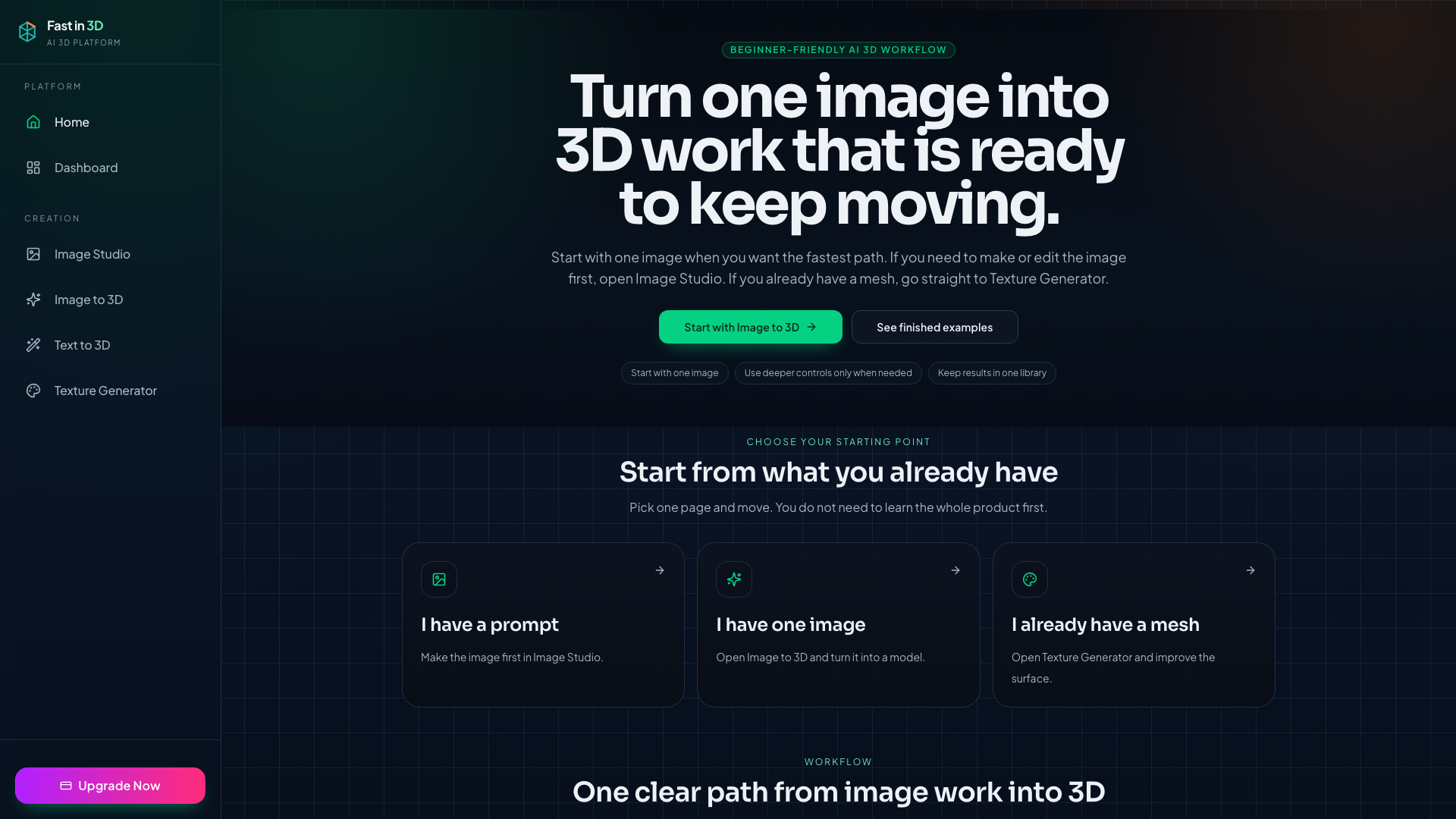
Fastin3D is an AI-driven 3D creation platform that streamlines the process of generating textured 3D models from images, text prompts, or multi-view inputs. It offers a beginner-friendly workflow to quickly turn a single image or text description into a 3D asset, preview it in the browser, and export it for use in games, design, or other projects.
Core Functionality
The platform integrates three primary capabilities: Image to 3D (turning a photo into a 3D model), Text to 3D (generating 3D from a text prompt), and Texture Generator (adding or improving textures on an existing mesh). All work is kept in a single library, allowing users to move seamlessly from image creation to final 3D output.
Features
Image to 3D
Upload a single clear image and Fastin3D automatically generates a textured 3D draft. Users can then preview and export the model with minimal steps.
Text to 3D
When no image is available, users can describe a 3D object in text, and Fastin3D will generate a corresponding model from the prompt.
Texture Generator
For users who already have a 3D mesh, the Texture Generator allows them to upload the mesh and describe the desired material direction. The AI then applies or enhances textures, which can be previewed and exported.
Image Studio
A companion tool for creating or editing images before using them in the 3D workflow. It helps ensure the input image is clean and suitable for 3D generation.
Simple Workflow
The platform is designed to be beginner-friendly with a clear three-step path: make or edit the image in Image Studio, turn it into 3D via Image to 3D, and finish the surface with Texture Generator. Advanced controls are available only when needed.
Example Gallery
Fastin3D provides a gallery of finished examples (e.g., 'Fuzzy Bunny Monster', 'Retro Bike', 'Zen Turtle') so users can try samples quickly and see what the tool can produce.
Frequently Asked Questions
Can I try it before paying?
Yes. You can open samples and finished examples first to explore the output quality. Your own generations require credits or a subscription.
How do I turn one image into a 3D model?
Start with Image to 3D, upload one clear image, preview the result in the browser, and then export the 3D file when the draft is ready.
Can I generate 3D models from text prompts?
Yes. Use Text to 3D when you only have a prompt. Use Image to 3D when you already have a reference image for a faster path into 3D.
Can I add textures to an existing 3D model?
Yes. Upload your mesh to Texture Generator, describe the material direction you want, preview the textured result, and export it when it looks right.