
도구 소개
Introduction
What is AI Subtitle Translator?
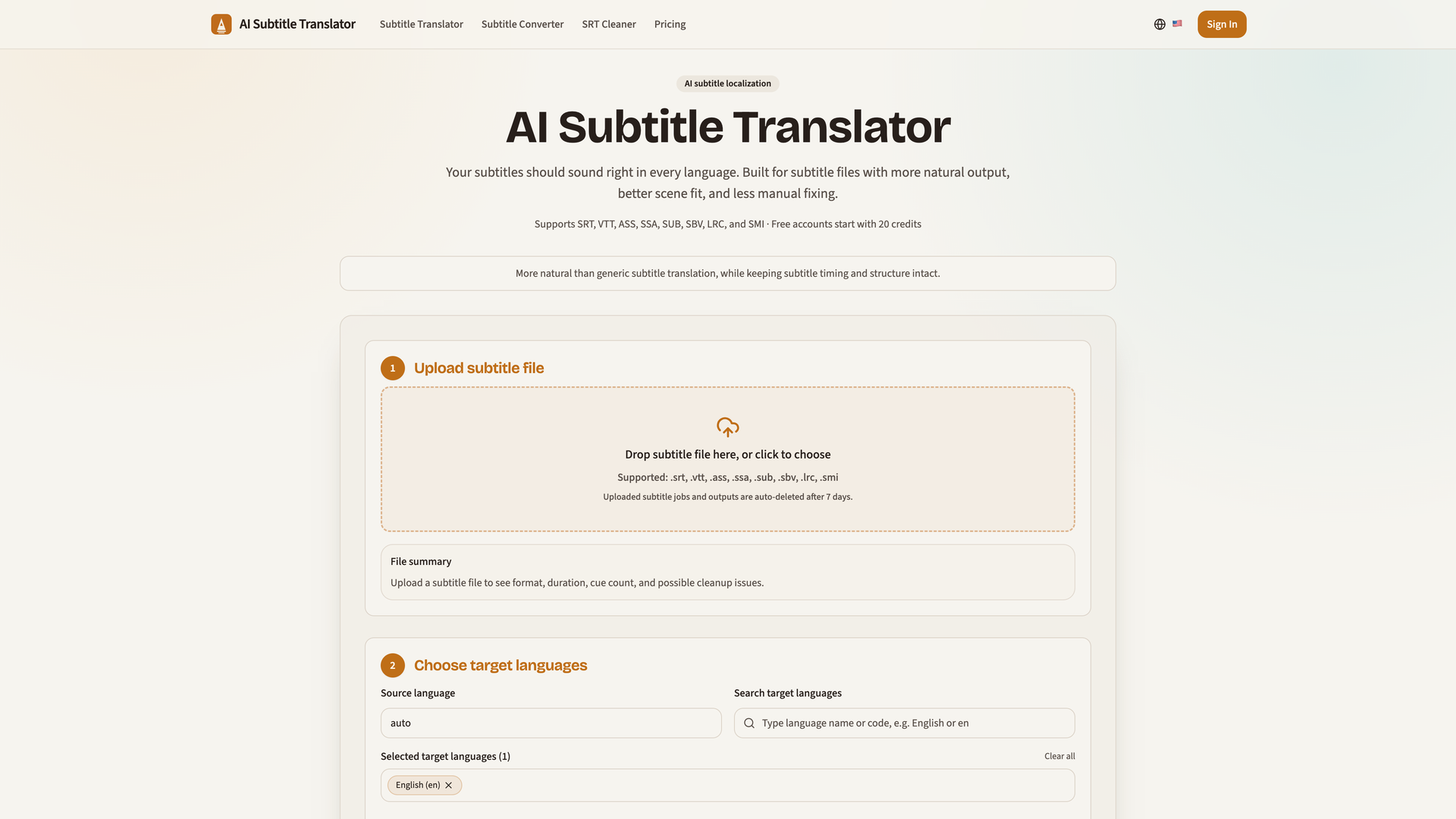
AI Subtitle Translator is a specialized localization tool designed for translating subtitle files. It focuses on producing translations that sound natural and fit the context of the scene, moving beyond literal word-for-word conversion to create subtitles that are closer to being publish-ready.
Core Functionality
The tool processes various subtitle formats (SRT, VTT, ASS, SSA, SUB, SBV, LRC, SMI), replaces the text content, and meticulously preserves the original cue timing, order, and structure. This ensures the translated subtitles sync perfectly with the video.
Purpose and Applications
Built for content creators, localization teams, and media professionals, it aims to reduce the extensive manual editing typically required after using generic translation tools. It is ideal for translating dialogue for films, tutorials, demos, YouTube content, and any video requiring accurate, natural-sounding subtitles.
Features
Specialized AI for Natural Output
The AI is specifically trained for subtitle localization, prioritizing natural phrasing and tone in the target language over strict literal translation. This results in subtitles that sound like they were originally written in that language.
Multiple Translation Modes
Users can choose between Auto (recommended default), Natural (for more native-sounding dialogue), and Literal (stays closer to the source text, useful for review) to fit different content types and preferences.
Batch Multi-Language Translation
Translate a single subtitle file into multiple target languages simultaneously in one job. The system generates separate, downloadable output files for each language, streamlining workflows for global content distribution.
Format Preservation and Support
Supports a wide range of industry-standard subtitle formats. The tool automatically detects the input format and preserves all critical timing and structural data during the translation process, ensuring compatibility with players like VLC and MX Player.
Transparent Credit System
Credits are calculated simply: ceil(duration_in_minutes) x number_of_target_languages. Credits are reserved when a job starts and are automatically refunded for any platform-side failures, providing predictable billing.
Privacy-Focused Processing
Uploaded subtitle files and job outputs are automatically deleted from the platform after 7 days. Content is processed solely for the user's translation tasks and is tied to their account.
Frequently Asked Questions
Why is AI subtitle localization better than generic free translation?
Generic tools often produce stiff, overly literal translations that miss contextual nuance, requiring significant manual correction. AI Subtitle Translator is built specifically for subtitles, delivering more natural-sounding output that fits the scene, drastically reducing post-editing work.
What is the difference between Auto, Natural, and Literal modes?
Auto is the intelligent default, balancing accuracy and natural flow. Natural mode optimizes for conversational, native-like phrasing in the target language. Literal mode prioritizes closeness to the source text, useful for accuracy checks or specific use cases.
Do you keep subtitle timing and cue structure?
Yes. This is a core feature. The system only replaces the text within each subtitle cue, leaving the start/end times, cue sequence, and overall file structure completely intact.
Can I translate one file into multiple languages at once?
Yes. You can select multiple target languages during setup. The system will process them in a single job and provide individual translated files for each language you selected.
Which subtitle formats are supported?
The tool supports SRT, VTT, ASS, SSA, SUB, SBV, LRC, and SMI formats.
Can I use the translated subtitles in VLC or other media players?
Absolutely. The output files are standard subtitle formats. You can directly load the translated SRT or VTT file into VLC, MX Player, or any other media player that supports external subtitles.
How are credits calculated?
Credits = ceil(video_duration_in_minutes) x number_of_target_languages. For example, a 4.5-minute video translated into 2 languages costs: ceil(4.5)=5 minutes * 2 languages = 10 credits.
Is uploaded subtitle content private?
Yes. Subtitle files are processed exclusively for your translation jobs. All jobs and their outputs are automatically and permanently deleted from the system after 7 days. Please refer to the Privacy Policy for complete details.