
حول الأداة
Introduction
What is OpenClaw Setup?
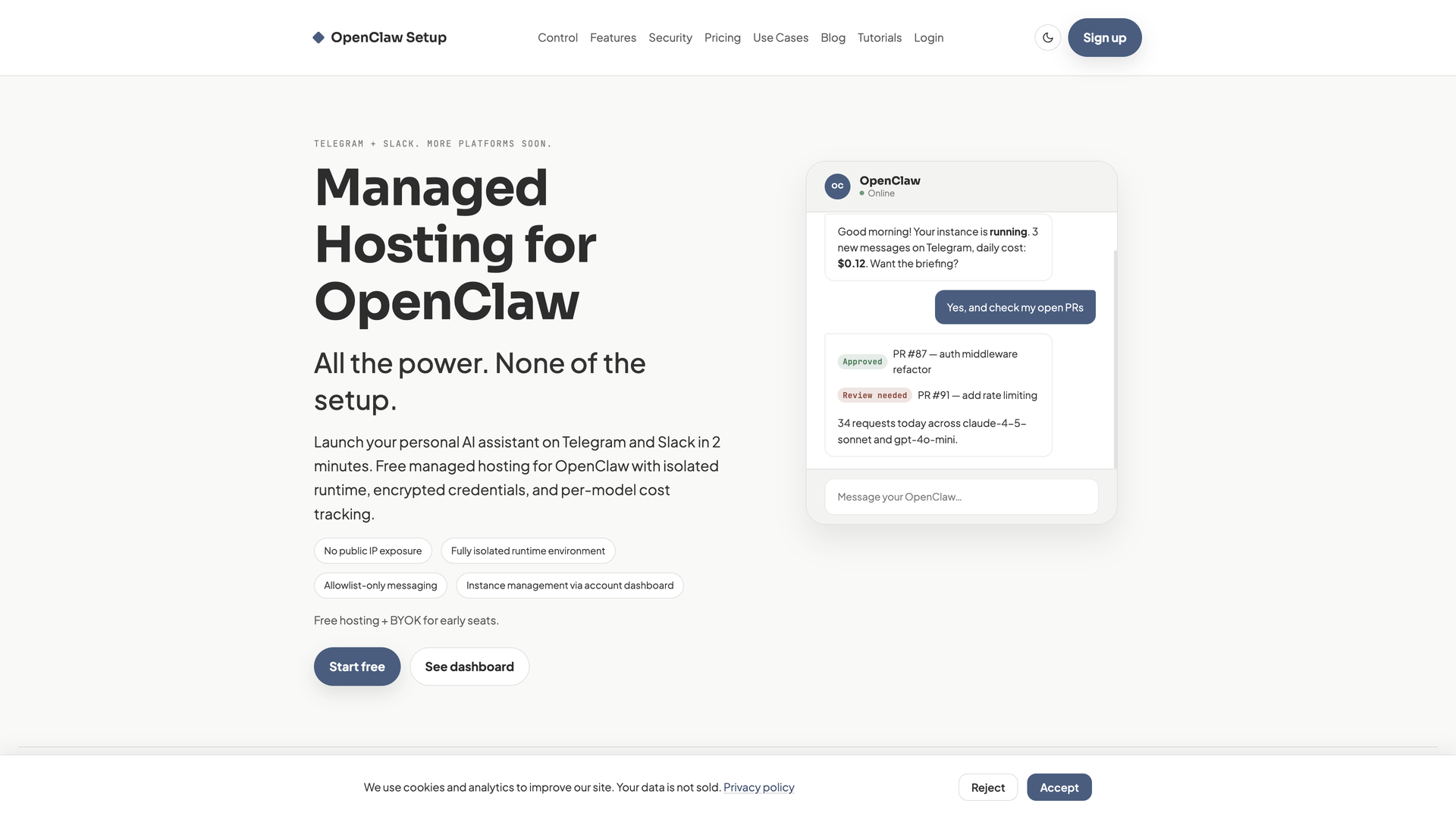
OpenClaw Setup is a managed hosting platform for the open-source OpenClaw AI assistant. It provides a secure, isolated environment to deploy and run your personal or team AI agents on popular messaging platforms like Telegram and Slack, eliminating the need for server management and infrastructure work.
Core Value Proposition
The service is built to offer the full power of the OpenClaw project without the operational burden. Users can launch a fully capable AI assistant in minutes, maintain complete control over their LLM costs by using their own API keys, and operate within a security-first architecture designed for high-risk automation workloads.
Target Audience
OpenClaw Setup is ideal for developers, teams, and individuals who want to leverage advanced AI assistants for daily workflows—such as briefings, code reviews, and automations—but wish to avoid the complexities of self-hosting, server hardening, and ongoing maintenance.
Features
Rapid, No-Setup Deployment
Launch your AI assistant on Telegram and Slack in approximately two minutes. The platform handles all backend infrastructure, requiring no server configuration or public IP management from the user.
Security by Architecture
Your instance runs with no public IP in a fully isolated runtime environment. This design prevents direct internet probing, contains incidents to your instance boundary, and ensures API keys are encrypted and never exposed to the runtime.
Full Execution Power & Control
Despite the isolation, your OpenClaw assistant retains root-level capability within its own environment. You can run code, install packages (via pip, npm, Linuxbrew), and execute complex workflows as defined, without platform-imposed limitations on functionality.
Granular Cost Tracking & Transparency
Maintain direct control over LLM spending by using your own provider keys (BYOK). The dashboard provides clear analytics, showing token usage and cost breakdown per model (e.g., Claude, GPT-4) over time, helping to monitor and manage expenses.
Workspace Management & Export
Edit Markdown workspace files directly within the dashboard. All workspace data is persistent across reloads, and a full export feature is available at any time, allowing you to leave the platform without data loss (secrets are excluded or redacted).
Advanced Configuration via UI
Scale from simple setups to advanced configurations without manual infrastructure work. Manage environment variables, configure add-ons (like web search), set up allowlists for messaging, and control runtime settings all through the user dashboard.
Multi-Agent Support
Run multiple, specialized OpenClaw instances from a single account. Each agent can have its own role, model, access policy, and configuration, enabling you to build a team of AI assistants for different tasks like research, ops, and development.
Frequently Asked Questions
Is my assistant exposed to the public internet?
No. Your instance has no public IP and is not directly reachable from the public internet. It communicates only through the integrated messaging platforms (Telegram/Slack) within a secure, isolated boundary.
Can anyone message my bot?
No. The platform uses an allowlist system. Your bot will only respond to users and groups that you explicitly approve within the dashboard settings.
Does the isolation limit what my assistant can do?
No. The isolation is designed to protect exposure boundaries and contain incidents. Inside its own runtime, your assistant has full root-level capability to execute code, install packages, and perform the workflows you define, just as it would in a self-hosted environment.
How do I control my LLM costs?
You use your own API keys from providers like OpenAI, Anthropic, or OpenRouter (BYOK). The dashboard provides detailed usage and cost analytics per model, allowing you to monitor spending and catch any unexpected usage early.
Can I export my data and leave?
Yes. You can export your workspace data at any time. The export includes your files and configuration, with secrets (like API keys) either excluded or redacted for security.
Why choose this over self-hosting?
Self-hosting requires you to manage server provisioning, security hardening, monitoring, updates, and maintenance. OpenClaw Setup removes this operational burden while preserving your control over the AI's capabilities, configuration, and costs. It's the fastest path to a secure, production-ready AI assistant.
What is the pricing model?
The platform offers a Starter plan with free hosting. You bring your own LLM API keys (BYOK), and the service provides the managed infrastructure, dashboard, and analytics at no cost for early seats.